
Three routes, one account
There is no single way to put lilbet on a phone, and that is good news rather than a complication: Android takes an apk, iPhone takes a web app, and any modern browser needs nothing at all. Whichever route you pick, the balance, play history, active bonuses and VIP status stay in sync across every device.
| Android apk | iPhone and iPad | Mobile browser | |
|---|---|---|---|
| Install | Download the apk from the site | Add to home screen from Safari | Nothing to install |
| Source | The official lilbet site | Safari | Any modern browser |
| Push notifications | Yes | From iOS 16.4 | Limited |
| Biometric login | Yes | Yes | Depends on the device |
| Updates | Inside the app | Automatic, web based | Automatic |
lilbet apk on Android, step by step
Installing the lilbet apk goes through the browser and the standard Android installer, and it works the same on a phone or a tablet. Six steps and the icon is on your home screen.
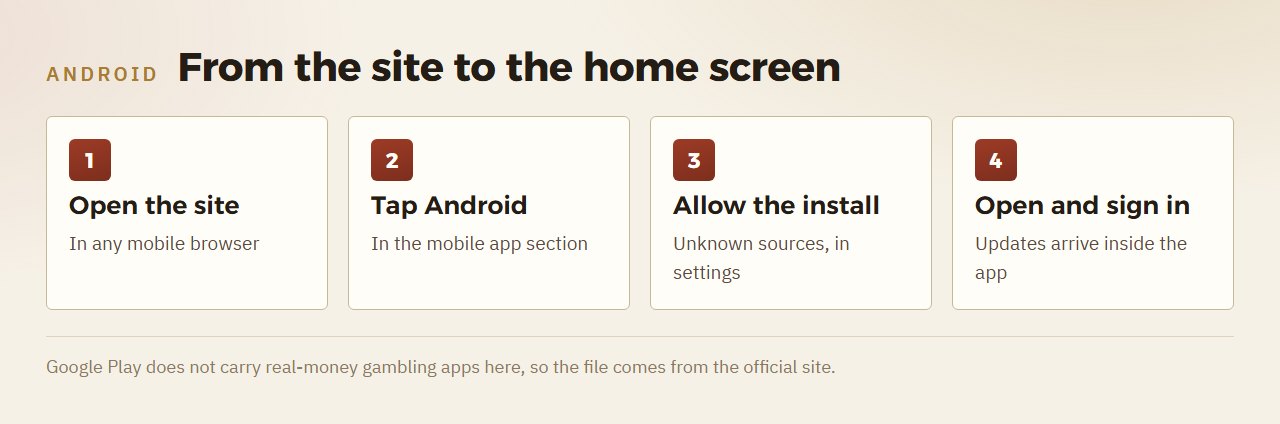
- Open the official site in a mobile browser.
- Go to the mobile app section and tap the Android button.
- Confirm the download in the browser dialog.
- Allow installation from unknown sources in your phone settings.
- Open the downloaded lilbet.apk file and tap Install.
- Open the app and sign in, or register if the account is new.
After that the apk behaves like any other app on the phone, and future updates arrive inside it rather than through a store, which keeps you on the current build without a manual reinstall.
lilbet app on iPhone and iPad
iOS uses a Progressive Web App added to the home screen from Safari, since the App Store does not list casino apps here. It opens in its own window and behaves like a native app without an apk anywhere in sight.
- Open the site in Safari — not Chrome or Firefox.
- Wait for the page to finish loading, then tap Share.
- Choose Add to Home Screen.
- Confirm Add in the top corner.
Push notifications through the iOS web app work from iOS 16.4 onwards. That is an Apple-level requirement, not a limitation of lilbet.
What the app adds over the browser
Is the lilbet apk safe to install?
The reliable source is the download page on the official site, where the file is served over HTTPS and signed by the publisher. Android checks that signature automatically during installation, which confirms the file has not been altered on the way.
Some third-party sites list an apk under the lilbet name but actually describe a different brand or package, so the safe habit is simple: take the file from lilbet itself and skip mirrors that repackage it. The exact system requirements and the file size appear on the download page at the moment you download rather than in fixed documentation, because both change with each build.
Why is the lilbet app not on Google Play?
Google Play does not carry real-money gambling apps here, so the Android build is distributed as an apk from the official site. The file is served over HTTPS and signed by the publisher, and Android verifies that signature during installation.
Is there a lilbet app for iPhone?
Yes, as a web app. You add the site to the home screen from Safari and it opens in its own window like a native app. The App Store does not approve casino apps, so there is no apk or store listing for iOS.
Do I need the app to play?
No. The mobile version runs in Chrome, Safari, Firefox and other modern browsers with nothing installed. The app adds biometric login, push notifications and camera verification.
Will my balance and bonuses follow me to the app?
Yes. Balance, play history, active bonuses and VIP status sync live across the apk, the iOS web app and the desktop site, because they are tied to the account rather than to one device.
Everything described here sits in one place
One account in Egyptian pounds: sport, live casino, slots and lil games. For adults over 18.
Start at lilbetRead next